Showing posts with label Gadget. Show all posts

Saturday, October 30, 2010

Laptop Vacuum


Wondering what gadget is this?? Hair dryer? No, it's not.. Let me share with you what is this... I found this gadget in my sis bag, I'm attracted, quickly have a closer look on this item. Huh....It's Laptop vacuum.. What?? I can't believe it.. I hear of house hold item vacuum but not laptop vacuum. o.O


First time ever see laptop vacuum using USB port, just plug n play there you go.. There's a light function for your convenience especially if you want to clean tiny areas or you want vacuum in the dark.


After you plug into USB port, there is a button for you to adjust to low or high power mode. You can adjust low or high volume when you're doing cleaning process.


There 2 are options either you can vacuum with brush or you can vacuum with hose tube. All is base on your preferences. It helps you to clean laptop nicely. I don't need to be headache every time use a big house old vacuum. Gently removed dust.... =D

Tuesday, August 17, 2010

iBuffalo MiniStation

After so long my dream finally come true. I wanted this gadget so much after waiting long long time. Why? Because my company's laptop spoil recently, I had a painful experience and I learnt a big lesson because I did not back up my own data work. I always confident enough that i'm laptop won't spoil because I use it's with caution and care. Life is always up and down, God want to test me with this challenge, so I have to face it!!

I lost all my data during my work period, I had difficulty in tracing back all the files. Changes for recovery process is very low, because hard disk getting old, always give cracking sound & unable to surf me well. Sad!! Now I don't have proper set gadget for me to continue my daily work. Through big a lesson, I remind myself to get portable USB Hard Drive for backup purposes.

After big doing re-search in market, I found that this new brand called iBuffalo MiniStation portable USB Hard Drive with Encryption that suits my taste. This what I'm looking all the while. Why? Let me brief you more on this:-


Buffalo Tools is made in Japan, have a feature-rich software suite of tools designed to boost PC performance and enhance your digital life. Use Buffalo Tools to enhance PC, transfer performance and back up your important digital assets. Automatic Hardware encryption (for Windows) protects your data from unauthorized access.Secure Lock Manager Easy software remembers your login details. Shock Resistance Chassis provides greater protection against accidental damage to your hard drive. Convenient wrap around USB cable. Automatic setup - no need drivers needed & Ready to use - no power supply required.

iBuffalo MiniStation comes with 3 years warranty, data transfer rate increase using TURBOPC. USB 2.0- Up to 2X increase. Client OS Support - Window 7 (32/64bit), Window Vista (32/64bit), Window XP, Mac OS 10.4 or higher. Available with 3 colors - Black, while & red with different size of storage 320G, 500G, 1 Tera, etc.

I choose 500G with price RM270 because the price not much different compare to 320G. Satisfaction is there because now I can smile without afraid of losing any important data in the future!! =D

Wednesday, July 07, 2010

Window 7 Installation

I'm going to share with you some interesting story part of my job in office. I guess you all must be bore every time i blog about food. Early in the morning, I received assignment "SETUP laptop". This time task quite challenging which require to setup on Window 7. I'm a newbie in Window 7 so I have no idea how to install Window 7. Let run through below =D

DELL Laptop bag

Guess what is inside..

New Purple Stylish DELL laptop

Hardware + software = Orginal

Instruction Book for installing

Dell Power adapter

Before start installing I have to make sure all the cables properly connected to laptop, make sure everything it's safe before I turn on main power. I have big problem in finding where ON/OFF button. Search whole laptop, flip up and down,  then I saw something weird on end back. Finally  I found it ON/OFF button ==""

I'm attracted to this new design ON/OFF button and LED blue light on wire connector.

Back end to flipper where ON/OFF button

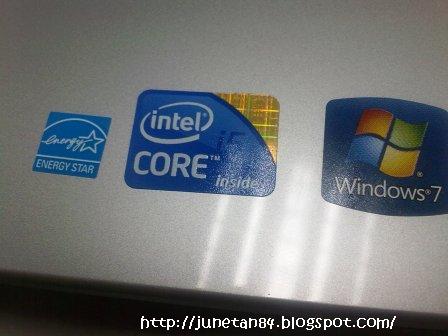
INTEL CORE processor & Window 7 OS

While waiting window installation, let me show how's the design of DELL laptop compare to other brands. Let scroll down for more =D

Staring up with Window 7 installer

SD/MMC compartment

USB ports, toggle keys, LAN port etc

Rechargeable Battery

The process take about an hour to complete compare to previous Window XP which take a few hours for installation program. After that you will see Window 7 base on the laptop.

After completing, here's Window 7 base

Next is installing anti-virus into laptop. Everyone know anti-virus is important, make sure you do that =D Again, I find something new disk drive. All you have to do, just push CD into Disc tray and It will automatic detect to read Disc. Sound cool?? I just love it =D

Push Disc into Disc tray

After finish installing, I need to remove Dics. This time I'm really stuck!! I cannot find EJECT button to remove Disc from Disc tray @@. I can't even find it in manual guide book. How?
Keep on thinking and look around.. I find something unusual on the desktop.

Eh? looks like Disc button. Maybe I can remove Disc in this way. That's right.. Click on icon, mouse right click press "EJECT" button.. Phew, finally I have successfully remove Disc from the tray .. Holy crap design ==""

EJECT button it's on desktop @@

Mouse right click, press "EJECT" button

Disc removed from Disc tray =.="

DELL power by Intel Core and Window 7

Must backup, simple DIY

Once completed, all the installation, you need to backup to Create System Recovery Media. Phew, Taking one whole day to complete my task. I'm happy to explore and know the window installation, so next time I can save up cost for installation process. This is back up knowledge, that I appreciated so much!! I hope one day my dream will come true.. I want a personal laptop for myself =D

Monday, November 09, 2009

Notebook Cooler Pad

Finally i got my new notebook cooler pad replacing the existing old want.. I been using for the last five months since i joined new company... Oh well many ppl ask me why do i use the notebook cooler pad in the office, coz the laptop does not belong to me..?

Hhhhmm... good question, coz i been trained to use the cooler pad at home since my little sis been practicing it. I dont care even though the properties does not belong to me.. i still taking good care of the laptop. i want to maintain laptop heat so that i can use for longer time ^^

So it's worth to spend little $$$, it's cheap, the cooler cost RM12 and now you can protect your laptop over heat. Simple as ABC, as it run on the USB cable. Simply plug into USB cable slot on your laptop.. there you go fan it's moving with LED light... cool ^^

Notebook Cooler Pad with 3 fans

Cooler PAD come with LED light

Friday, October 30, 2009

Tupperware Bottle

I got a surprise from my ex-colleague from ex-company who actually giving a big surprise on my birthday gift. Tough it's been over long time my birthday.. but i never aspect that i will get another birthday present. Yeah, he gave me this super duper big Tupperware tumble water bottle.

It's amazing gift, all i can say is thank you, i appreciated it. Giving this big water bottle, he must be thinking i been drinking less water in office coz i been carrying 600ml water bottle to office everyday.. He been teasing me always y u bring so small water bottle to office? 1 day must drink at least 1-2 liters of water = 8 glasses of water 1 according to his theories.. =.=""

Now i get this big bottle is 1.5 liters, so he aspect me to bring more water to office. Seriously the water bottle it's cool design, coming with a handy string pouch. Fill up full water, then carry on your shoulder with the string..

He told me that this brand it's quite good quality wont be easy spoil, with life warranty. The bottle is spoil you can change a new 1 but with C.O.D. Let look closer more on the pictures.THANKS for the gift. i can make use of this gift!!

Window 7 Ultimate

Window 7 just launched on the 22th Oct 2009, the latest version after Window Vista. I was given a chance to take a look closer for window 7 installation in the office recently. Installation is done by my colleague Kevin. Here's some screen shots for your guide... ^^

I have the s/w in my handsl, I'm gonna try it out soon over the weekends.. hope it's nice.

Window 7 settings before installation

The license terms must read

Choose custom for installation

Choose your hard disk for installation

Window start installing... take about 20 min

Once completed, new window 7 logo appear on your screen

Final result, Window 7 interface screen on laptop.

Installation of Window 7 Ultimate as below:-
Minimum requirement: 1G RAM, Recommended 2G above
Processor: 2.00 GHz above
Hard disk: 80G above

Note: Depend on your dekstop / laptop requirement for installation Window 7. More details refer to Microsoft official web page.

More updates on the interface, after more testing later.. stay tune!

Sunday, October 25, 2009

1Malaysia Touch 'n Go Card

Recently in Aug in the conjunction of Malaysia Independent day.. i got this new launch of design 1Malaysia Touch 'n Go card with RM10 without need to pay deposit for the card. Just get the card inside already have RM10 credits can be ready to use anytime. But this card only valid 1 year with expiry date printed behind the card.

When promotion, this card it's out for grabs, this card out of stock very fast. I do like the design of this card simple and nice. Everyday i been using toll from house to work, sighs need to pay toll pulak, Buying the card require deposit pulak, really pokai.. all my salary earning is giving back goverment... @.@

Since Lim, my colleague it's getting for himself, i book him to get 1 card for myself for standby in case emergency, i don't need to dig my wallet for cash. Thanks to him for this card. I got some photo to share. For more info do visit Touch 'n Go web page for more details..

1Malaysia Touch 'n Go Card

This card only valid 1 year with expiry date printed behind

Tuesday, October 20, 2009

Hujung Minggu Shopping

Last weekend was Deepavali holiday, a lot KL ppl will be going back hometown myself didn't go back i'm taking this opportunity for shopping. I got 1 of the 8 collections of McD's coca-cola Contour Glass. This glass can be purchase by itself cost about RM8.80 or any large McD meal set for free this glass. I tot the cup it's in made in plastic same like previous version but this time it's a different as the cup it's made in glass form. I choose purple color ^^


From shopping i also get myself a pair of new working shoes RM55.90, every time when i want buy shoes i find very difficult to buy shoes coz my leg very big size either wear size 9 or size 10, depend on the cutting. I like shoes with white colors coz easy to match clothes, white looks elegants. This time my shoes is white with floweery batik. I need to force myself to get use to this type of shoes, coz everytime i wear sure bengkak my kaki. T.T

White flowery batik cover shoes ^^

Monday, October 12, 2009

New lao kong HP ^^

I'm quite sad that the most valuable thing spoiled that is always beside me it's my lovely phone. Previously i'm using SEW810i walkman phone almost for 2 years++ i still remember when i bought my SE phone it's on the 27th June 2007, after 2 days my birthday. I love my phone very much as, it's walkman phone i love the sound speaker it's very clear when play music loudly. The keypad it's soft it's easy for me to type sms too, i been speeding when typing sms even though the uncle at the age of 40 admired me a lot when he saw the way i type sms in speeding way. Beside that i also love camera phone although it's 2.0 mega pixel, with i can say the best quality picture that i took b4, Thanks to the cam phone without my lovely phone i can never took so much of picture that i ever posted in my blogs..

Y my phone it's spoiled coz the antenna signal receiver unable to receive signal so i can't get phone call whenever i go.. My family n friends been looking for me for emergency cases or they want talk with me on the phone. I can't depend on sms too much, coz some words can't describe using sms. i send my phone to shop to repair, to change the chip antenna it cost me about rm200-rm3oo, oh my damn expensive.. @.@ The shop advise me to get a new phone, seriously i'm sad the phone it's memorable to me, 1st phone i use my own money to buy when i ever step my foot in working life.

After that i got to cracked my head what type of phone that i wanted the most. With the movement of technology, nowadays the phone it's mutli function not just a phone it's more than 1 task in the directory list. Yeah.. i done a survey of many phone, at first i wanted HTC touch screen phone coz it's run on window mobile, whereby can save ms.word, excel, outlook etc. I got a lot comment from shop sellers phones that window mobile often get hanged when doing my work for example ms.word. But do i really need a window mobile?? After all, i'm not doing big business that require million of word to type in the phones.. Having a laptop that is difinately good for doing ms.office, i know laptop it's too heavy to carry while window mobile it's slightly light weighted.

I wanted a touch screen phone badly coz envy to see ppl around with touch screen phone, i wanted to test how good it's a touch screen phone and of coz with simple function without window mobile. Friends and peoples around recommended me to take this Nokia N5800 express music with Symbian Technology. i got this zitron set BLUE color phone cost me RM1050 with 8G memory card, most important it's Garmin software for GPS function. Bloggers, forummers said Garmin it's good for direction road.

I'm proud and happy to get this phone with my own money with my own budget. I'm satisfy with what i have even though i cannot own HTC phone, but i'm confident enough on this phone that will serve me better. I know there is people out there commented on that i'm too CHEAP to get this CHEAP phone, i don't think u have the right to comment on my phone..! WTF .. seriously i like my phone so much, i'm going to play around and get use to my phone. ^^

Tuesday, August 04, 2009

Kawai Ear phone ^^

I used to have ear phone that plugged into my ears when i'm doing my work in office.Too bad.. the ear phone spoiled left side badly affected no sound which i always listened only on right ear. Sounds unbalance with my hearing aid, almost 30 days i have unbalanced ear phone, erm.. decided not to put on ears anymore. Sounds sleepy without some nice music when doing work.. Music motivate me on work, perhaps i pay more concentration on my work & i just close my ears with some soft music but not too loud for my hearing, just nice for me to continue my work.


I decided to get a new pair of ear phone with suits my taste, i'm choosy right? Definitively no coz I wanted light ear phone to put on ears. Previously my ear phone it's like a flower bud plugged into my ear.. after few hours wearing it so damn pain my ear hole.. i need to unplug let it rest a while then only wear it again. A few models which are available in markets which doesn't suit my taste. Some of them big & bulky, which i feel very heavy discomfort for my ears, some with head band which is loosely or too tight i feel pain when wearing it.

I came across with many types of ear phones, finally i found which i like it very much and its looks kawai when i wear it. This is ear phone it's like hearing aid which come with hanger to hang on my hear, light weighted some soft span protecting my hearing, comfortable for my ears. The sound affect it's clear with adjustable volume button. This ear phone also come together with mic function as well which is 2 in 1 function.

This set of ear phone it's rm27, reasonable price, really kawai, photos of my new ear phone. Just ignored my look coz it's totally out... lolz =P